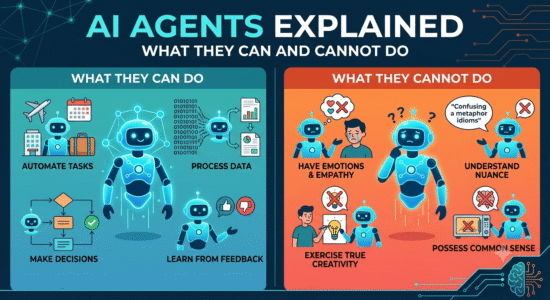
This guide to ai agents explained: what they can and cannot do explains the core concepts, practical decisions, and common mistakes to watch for. Use the steps below as a starting point, then verify details against the tools and requirements in your own workflow.
The basic building blocks
An agent usually combines a model, instructions, tools, state or memory, and a loop that observes results before choosing another action. A chatbot may answer a question in one response; an agent may search files, call a tool, inspect the result, and continue toward a goal.
Where agents are useful
Well-scoped agents can classify support tickets, prepare research summaries, update structured records, or draft reports from approved sources. These tasks have clear inputs and outputs that can be checked. Open-ended tasks with ambiguous goals or expensive consequences need stronger human oversight.
Design boundaries before adding autonomy
Limit the tools an agent can access, define what requires approval, log actions, and test unusual inputs. Begin with a read-only workflow, then add write access only after the agent consistently handles errors. Measure completion quality and recovery from failure, not just speed.
Practical checklist
Start with one narrow task, a small tool set, explicit stop conditions, and a human review step.
Try it yourself
Test a read-only agent on five sample support requests. Give it a fixed list of allowed labels and require it to return the original request with each classification. Review every label, note ambiguous cases, and do not connect the experiment to a live ticketing system until the failure cases are understood.
Editorial note: This educational guide explains general methods and does not claim independent product testing. Check official documentation for current features, pricing, and terms before making decisions.