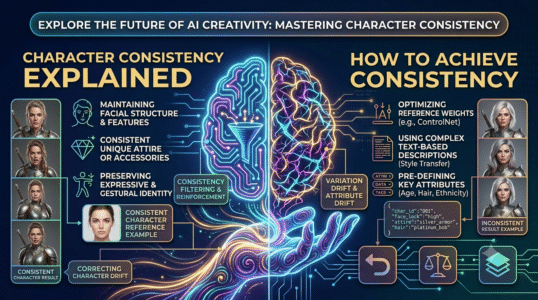
This guide to how to keep an ai character consistent across images explains the core concepts, practical decisions, and common mistakes to watch for. Use the steps below as a starting point, then verify details against the tools and requirements in your own workflow.
Create a character reference sheet
Define face shape, hairstyle, eye color, age range, skin tone, proportions, signature clothing, and distinguishing details. Generate a neutral front view and several angles before asking for complex scenes. Keep the description factual and concise so it is easy to reuse.
Use references and fixed anchors
When the tool supports image references or character features, reuse the approved reference. Preserve the core description and change only scene-specific details such as pose, location, and lighting. Different models may interpret the same text differently, so test a small set before producing a full series.
Review continuity systematically
Compare face shape, hairline, clothing details, accessories, and body proportions. Track model version, reference image, aspect ratio, and settings. If the character drifts, return to the strongest reference instead of adding many contradictory adjectives.
Practical checklist
Build a mini style guide and treat every accepted image as part of the continuity record.
Try it yourself
Write a character sheet with six stable traits and generate a neutral front-facing reference. Use the same reference for two different settings while changing only pose and location. Compare face shape, hair, clothing, and proportions side by side, and record the model and settings for the version that stays most consistent.
Editorial note: This educational guide explains general methods and does not claim independent product testing. Check official documentation for current features, pricing, and terms before making decisions.