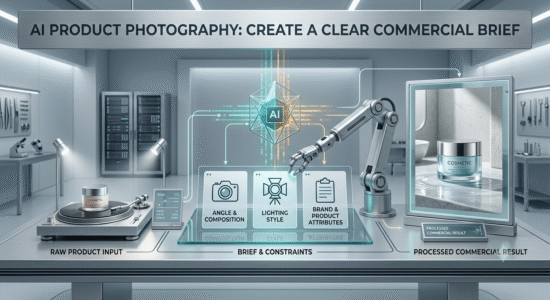
This guide to ai product photography: create a clear commercial brief explains the core concepts, practical decisions, and common mistakes to watch for. Use the steps below as a starting point, then verify details against the tools and requirements in your own workflow.
Lock down product identity
Describe the product type, silhouette, material, color, visible controls, and label placement. If the tool supports image references, use clean reference photos from several angles. Tell the model not to invent extra buttons, ports, logos, or packaging text.
Choose the shot for the sales message
A hero image should make the product easy to recognize at thumbnail size. Detail shots can show texture or construction, while lifestyle images explain scale and use. Leave clear negative space when copy will be added later in a design tool.
Inspect before publishing
Check geometry, reflections, hands, labels, shadows, and tiny text at full size. Do not use generated imagery to imply a feature or accessory that the actual product does not have. For regulated or high-trust categories, use real photography for critical evidence.
Practical checklist
Use AI for concepts and supporting scenes, but verify every product claim and final image against the real item.
Try it yourself
Choose one real product and list the features that must not change, such as silhouette, color, buttons, packaging, or label placement. Generate a clean hero scene from reference images, then inspect the result at full resolution. Reject any image that invents an accessory, changes a control, or implies an unverified feature.
Editorial note: This educational guide explains general methods and does not claim independent product testing. Check official documentation for current features, pricing, and terms before making decisions.