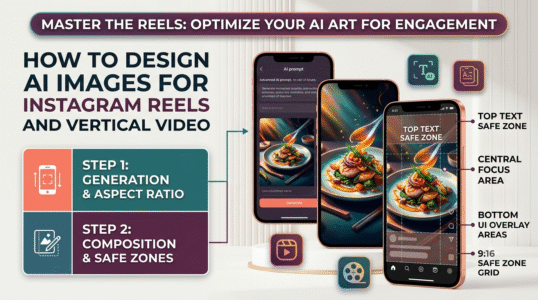
This guide to how to design ai images for instagram reels and vertical video explains the core concepts, practical decisions, and common mistakes to watch for. Use the steps below as a starting point, then verify details against the tools and requirements in your own workflow.
Plan the safe area
Use a 9:16 canvas for full-screen vertical video when the platform requires it. Keep faces, products, and essential text away from the edges and the bottom area where app controls or captions may cover content. Test on an actual phone-sized preview.
Create a shot sequence, not isolated art
For a short reel, plan a hook image, a clear demonstration, a close-up, and a final frame that supports the call to action. Keep lighting, wardrobe, palette, and character details consistent across frames so the edit feels intentional.
Add typography after generation
AI image models can struggle with exact text. Generate clean negative space and add headlines, labels, and captions in an editor where spelling and alignment are controllable. Use high contrast and keep each screen focused on one message.
Practical checklist
Check crop, text legibility, subject continuity, and platform overlays before exporting.
Editorial note: This educational guide explains general methods and does not claim independent product testing. Check official documentation for current features, pricing, and terms before making decisions.